Internal studio tooling / Blender
Build the tool.
Repeat the process.
Turn repeated modeling steps into an adjustable workflow.
Masterwork Studio develops Blender tools for tasks that would otherwise repeat across objects or variations. The examples here cover mold-form geometry and image-driven extrusion: specific workflows with inputs and controls that can be adjusted and reviewed.
Discuss a custom workflow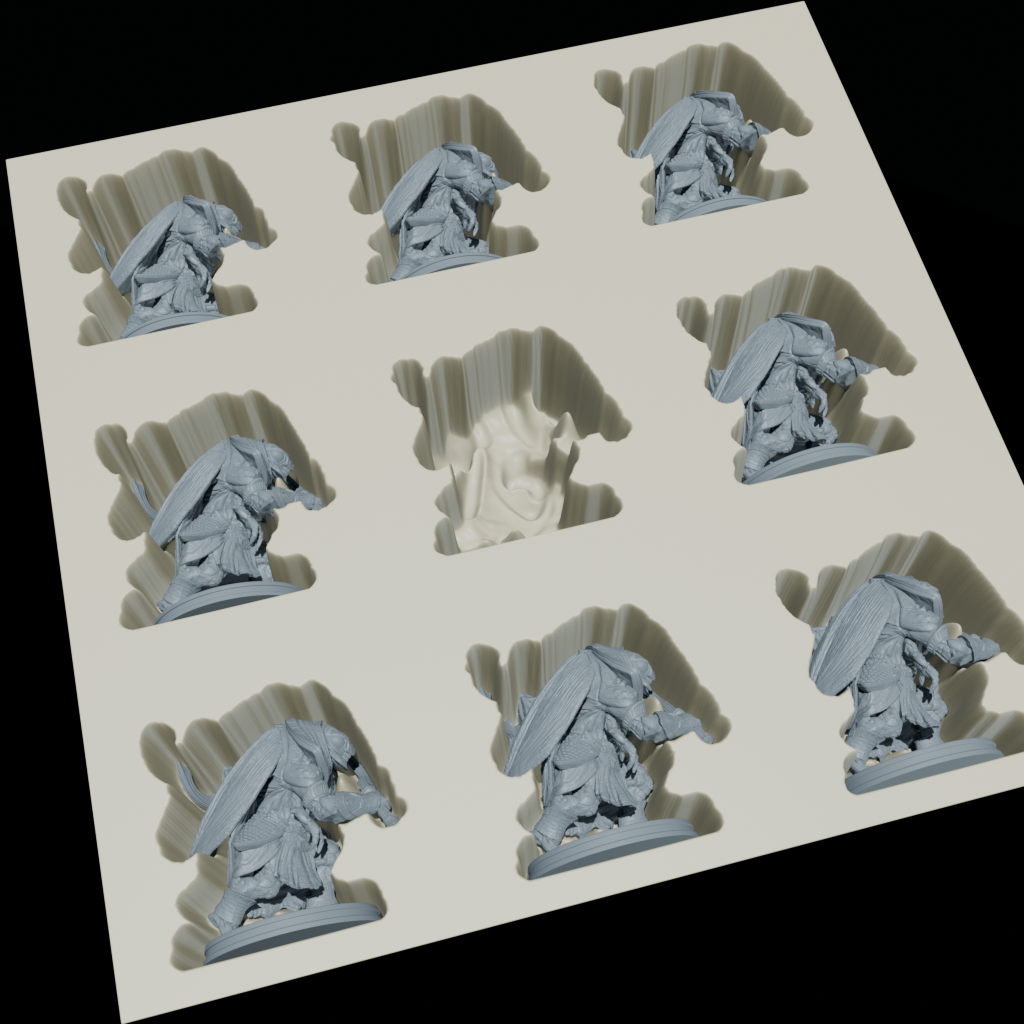
- Project type
- Internal tools and experiments
- Studio role
- Blender workflow and tool development
- Core stack
- Blender / Python / Geometry Nodes
Control a process, not just one result.
When related assets share a series of operations, a tool can expose the choices that matter and repeat the rest. The goal is a workflow that can be inspected and adjusted rather than a collection of disconnected finished meshes.
The examples on this page are existing studio tools. Adapting one to a new asset family requires checking the source geometry, expected output and artist controls.
Mold-form geometry from an existing model.
The vacuum-mold generator starts from selected geometry and creates a separate working result. Its controls include surface offset, border width, thickness, subdivisions and smoothing.
The accompanying render shows a tray-style arrangement around miniature figures. It illustrates the geometry workflow; it is not a claim that the output has been manufactured or certified for a particular material or process.
A fabrication project would also need appropriate dimensions, clearance checks and review against the actual manufacturing method.
Let an image drive the geometry.
The Color Extrude experiment builds a Geometry Nodes setup around a grid of cube instances and an image input. Its exposed settings include grid size, an RGB channel and an extrusion factor.
This is an example of translating a visual input into adjustable geometry. It is an internal experiment, not a claim of a supported plug-in release for every current Blender version.
Prepare reusable parts for the experience.
Procedural authoring and browser configuration solve different parts of a product workflow. Blender can help prepare related assets; a web configurator can combine approved base models, materials and optional features at runtime.
A catalog with hundreds of variations may need a much smaller set of base assets, plus rules describing valid combinations. Some changes still require unique geometry. The right structure follows the product, rather than assuming every variation is interchangeable.
Which modeling steps do you repeat?
Send an example input, the intended result and the settings an artist or customer should control. Include the Blender version, output format and how many related assets you expect to produce.
Start a conversation