Studio demonstration / Browser avatar
A character.
A voice.
A web experience.
Connect a speaking character to a useful interaction.
This project combines a 3D character, speech playback and facial animation in a browser interface. The public demonstrations place the avatar inside fictional business websites so visitors can see how an assistant might fit into a real page.
Explore the avatar demos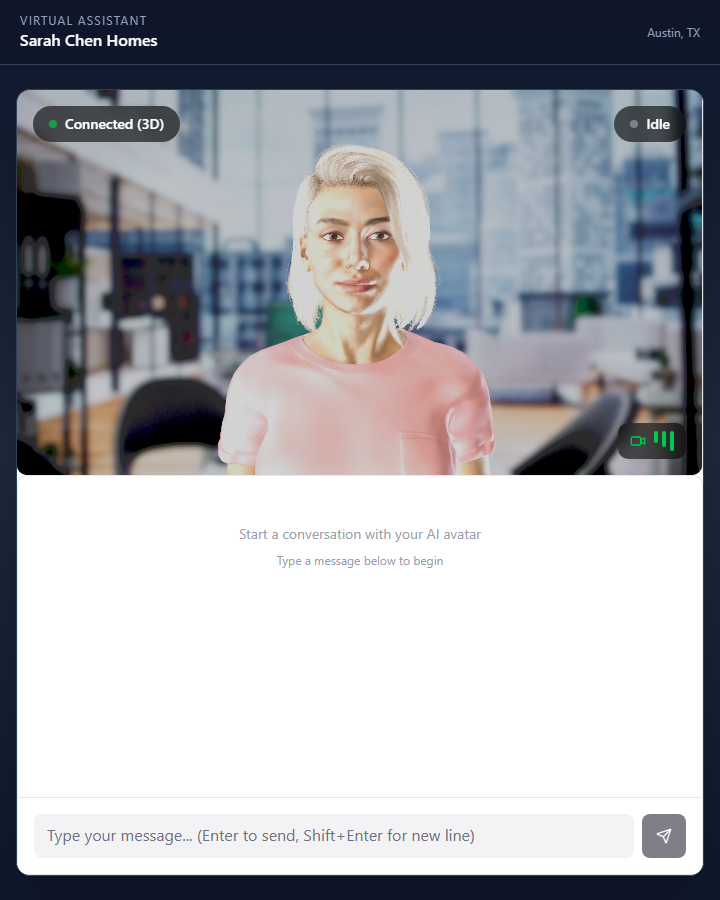
- Project type
- Studio technology demonstration
- Studio role
- Character integration and web interaction
- Core stack
- Three.js / GLB / Speech pipeline
Make the character part of the page.
The avatar is presented as an assistant that a visitor can open when needed. The public examples use fictional real-estate and industrial businesses to show different contexts for the same underlying technology.
The character is one part of the experience. The surrounding interface, information sources and path to a human contact determine whether the interaction is useful.
Speech and facial motion work together.
Render the character in the browser
Three.js displays a GLB character with materials, a rig and facial morph targets. Those morph targets provide the shapes needed to animate the mouth and expressions.
Map speech to mouth shapes
The speech pipeline supplies timing information that drives visemes: facial shapes associated with speech sounds. Mapping those shapes to the character is part of the integration.
Coordinate secondary motion
Blinking, gaze and facial motion have separate controls so they can work alongside speech animation. A useful character pipeline preserves those controls when preparing the model for delivery.
Keep the parts that make it speak.
Reducing a character file is not just a matter of shrinking textures. The export must retain the facial shapes and rig data that the application actually uses.
Model preparation, material appearance and animation behavior need to be checked together. The right budget depends on the character, target devices and whether the avatar is the main experience or an optional part of a larger website.
A demonstration with a defined scope.
The fictional businesses illustrate possible uses; they are not customer case studies or evidence of sales results. The screenshot shows the interface, not a measured claim about response accuracy or speed.
A business deployment needs approved source information, a clear handoff to a person and testing against the questions visitors actually ask. Voice services, hosting, ongoing content updates and target-device testing belong in the project scope.
What should your web character help people do?
Share the audience, intended questions or interactions, available character assets and where the assistant will appear. Include any voice, accessibility or integration requirements.
Start a conversation