
Vacuum Mold Generator
Sale!

$24.99 Original price was: $24.99.$14.99Current price is: $14.99.
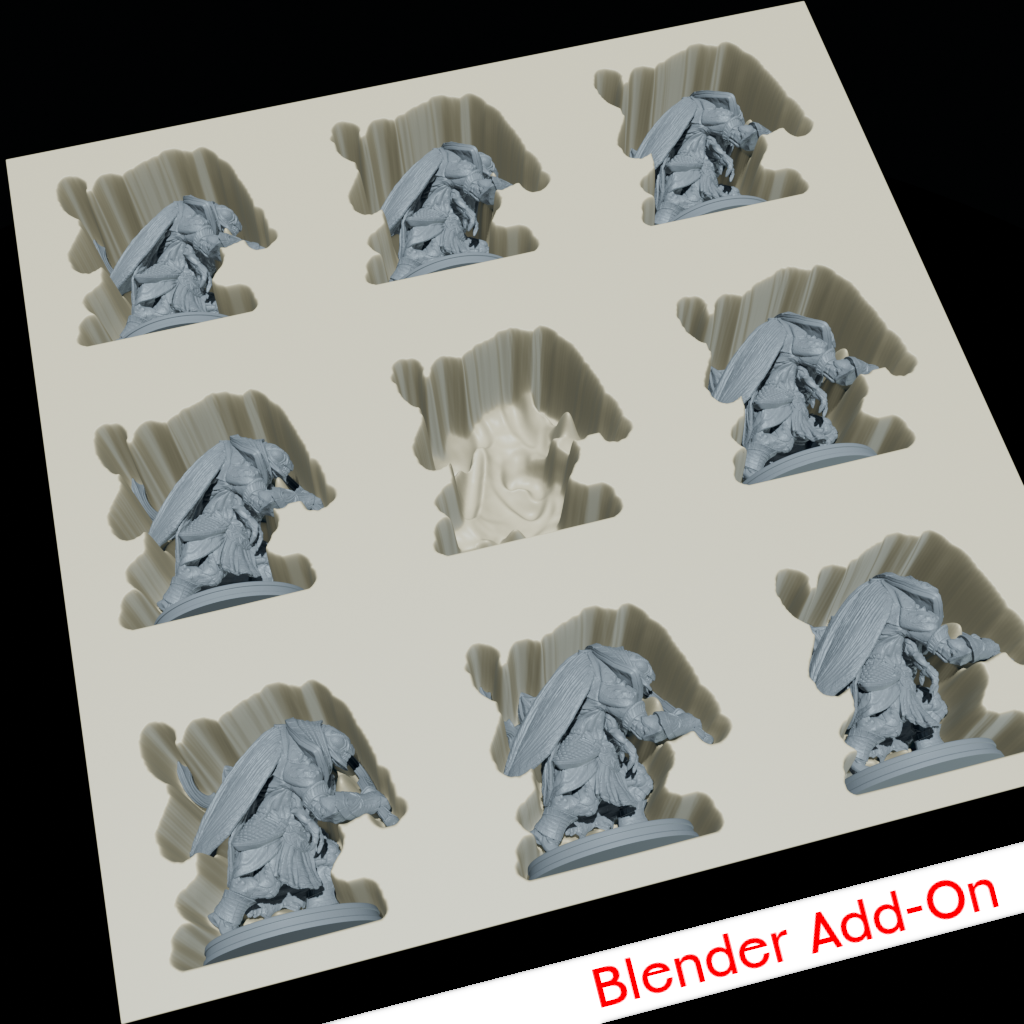
Transform your 3D models into production-ready vacuum forming molds with a single click.
Designed for tabletop miniature manufacturers, prop makers, and small-scale production studios.
Designed for tabletop miniature manufacturers, prop makers, and small-scale production studios.
✨ What You Get
+
Instant Mold Generation - Select, click, done.
Production-Ready Output - Optimized for 3D printing.
Full Customization
- Clearance spacing control
- Border width adjustment
- Surface smoothness tuning
- Mold thickness settings
🎯 Perfect For
+
Tabletop Manufacturers - Miniatures, terrain, game pieces
Prop Makers - Cosplay parts, jewelry components
Product Designers - Rapid prototyping workflows
Hobby Creators - Turn designs into products
🚀 How It Works
+
- Import your 3D model into Blender
- Press N key to open sidebar → Masterwork tab
- Select your model with the eyedropper tool
- Click "Generate Vacuum Mold" button
- Done! Export and send to your 3D printer
💎 Key Features
+
Smart Geometry Processing
- Automatic clearance calculation
- Intelligent border generation
- Surface smoothing algorithms
3D Print Optimized
- Resin & FDM printer compatible
- Minimal support requirements
- Clean geometry, no errors
📦 What's Included
+
- Blender Add-on - v4.0+, v5.0+
- Lifetime License - Yours forever
- Free Updates - All versions
- Email Support
- Commercial Rights
❓ FAQ
+
Q: Commercial use?
A: Yes! Full commercial rights included.
Q: Multiple computers?
A: One at a time, transfer anytime.
Q: Blender 5.0?
A: Fully compatible.
Q: Subscription?
A: No, one-time purchase.
📖 Installation Guide
Click to View Steps ▼
Step 1: Open Preferences
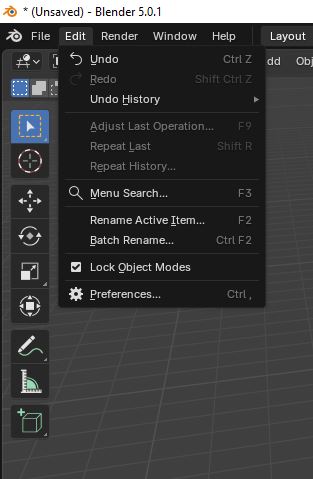
- Launch Blender
- Click Edit → Preferences
Step 2: Install Add-on

- Click Add-ons tab
- Click "Install from Disk"
- Select .zip file
Step 3: Activate License
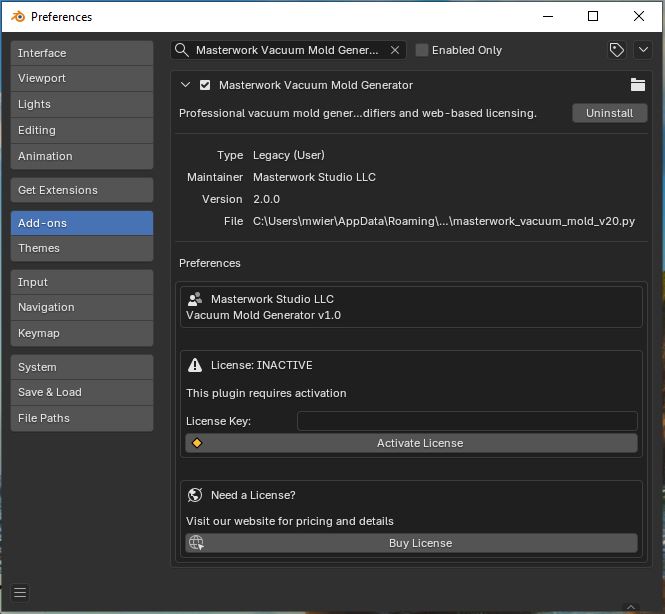
- Search "Masterwork"
- Check checkbox
- Enter License Key
Step 4: Login
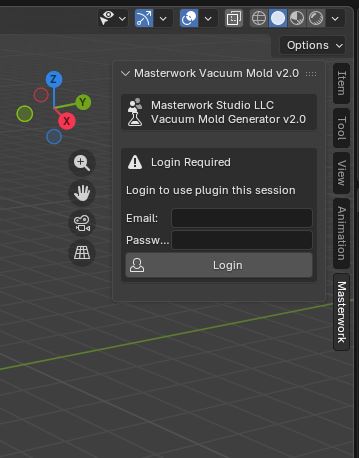
- Press N
- Click Masterwork tab
- Enter Email & Password
Step 5: Import Model
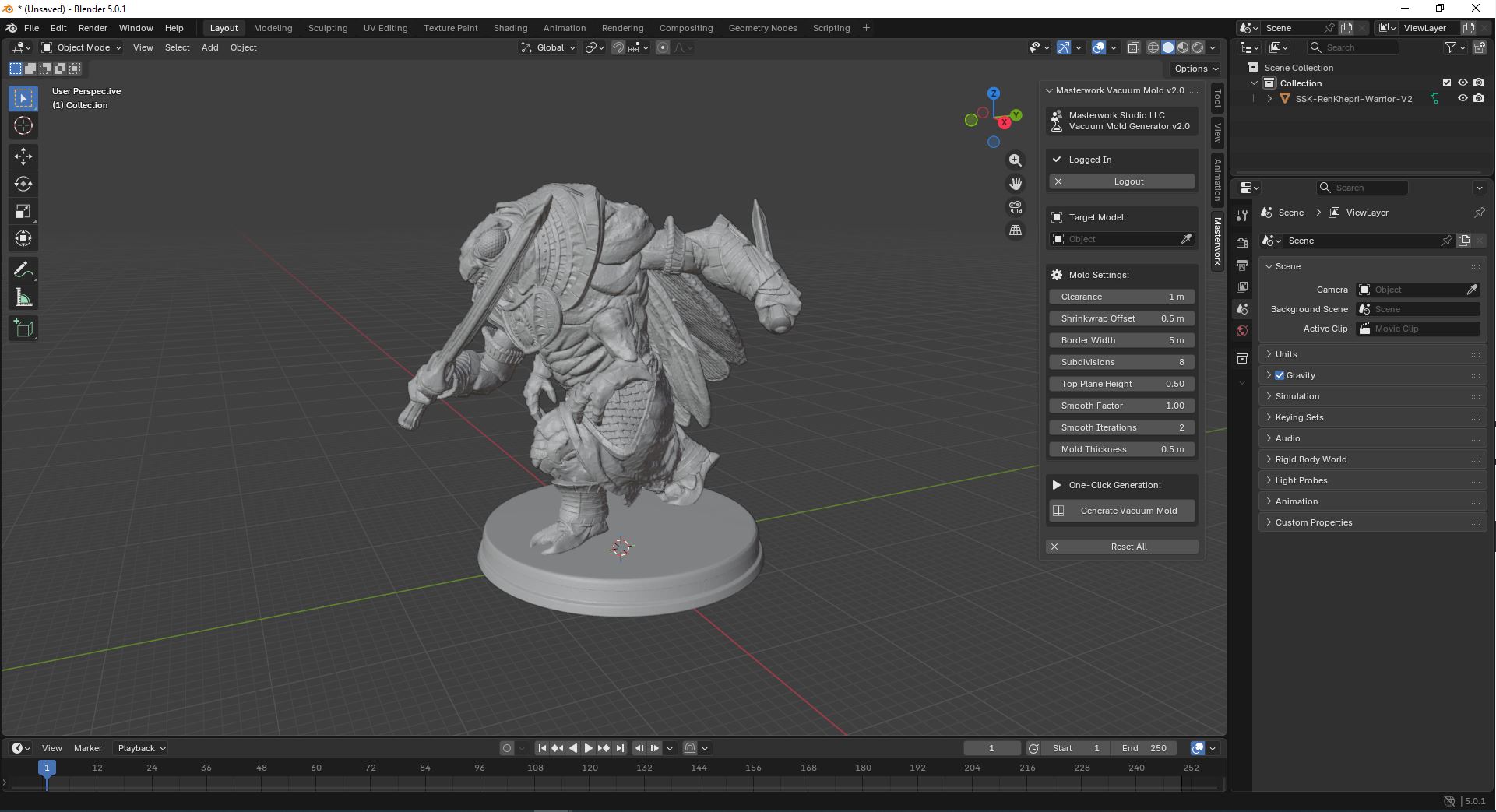
- File → Import
Step 6: Select Target
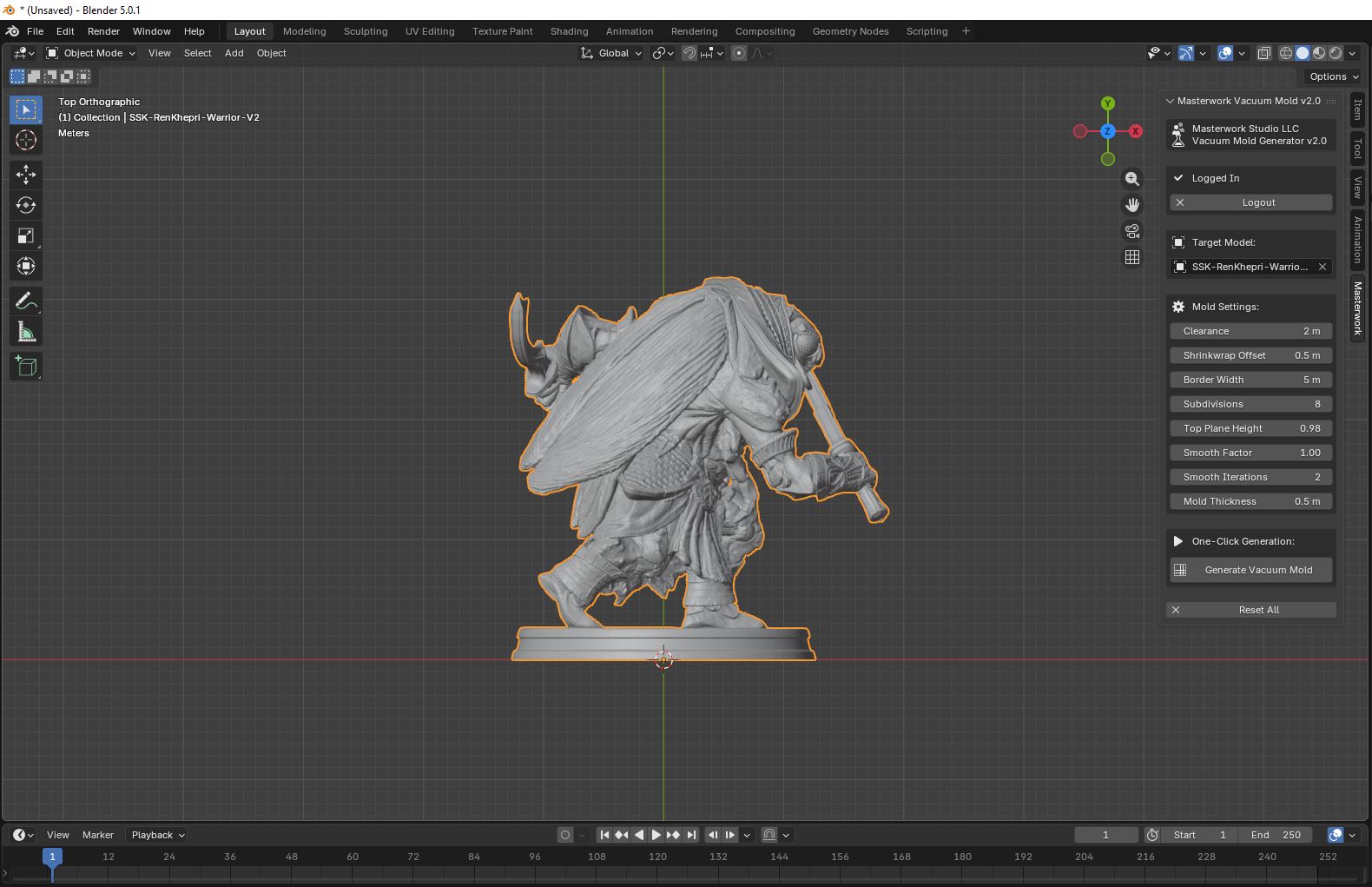
- Click eyedropper
- Click model
Step 7: Generate!
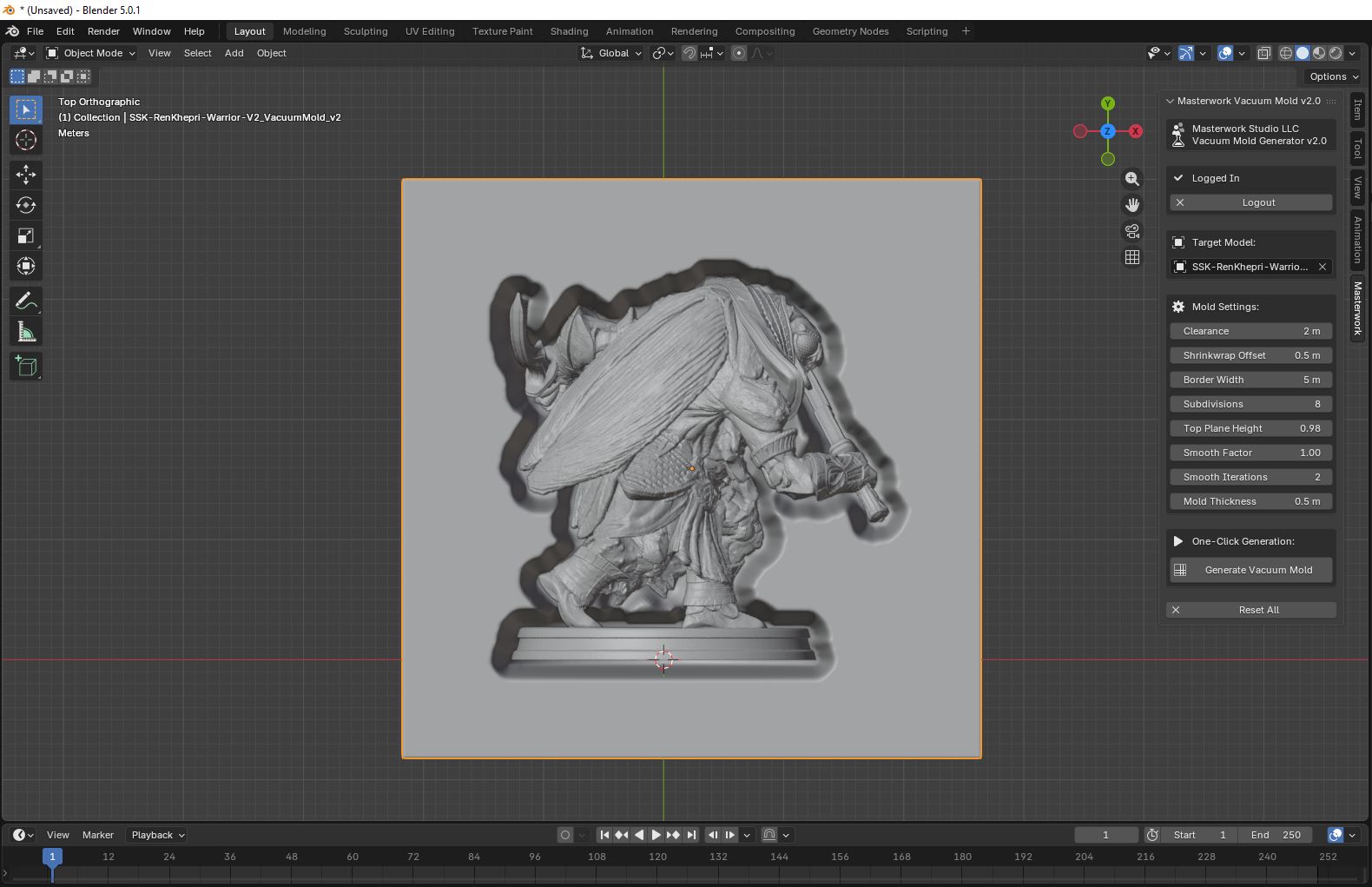
- Adjust settings (optional)
- Click "Generate Vacuum Mold"
💡 Tips:
- Numpad 1,3,7 for views
- Adjust modifiers anytime